
Start with a clear photo
Choose a sharp portrait with an evenly lit, unobstructed face. A simple background and a single person make it easier to compare costume ideas. Avoid sunglasses, heavy blur and filters that cover facial features.
The studio accepts JPG, PNG and WebP files up to 10 MB. Use a photo of yourself, or get permission from everyone in the picture.
1. Upload your portrait
Open Try a costume. Click the upload area to choose a file, or drag a photo into it. Your photo appears in the upload area.
To replace it, click the photo and choose another file. To remove it, use the × button in the corner. Uploading a replacement does not change your selected Halloween style.
2. Choose a Halloween style
Follow Explore all 12 styles below the selected look. Pick a card to return to the studio with that style selected. The selected card has a check mark, and the style name appears beside the preview.
Try Evil Witch for a dark fantasy look, Wanted Poster for a vintage treatment, or Horror Movie Poster for a cinematic composition. Compare the framing as well as the costume: a head-and-shoulders portrait suits a different layout from a full-body photo.
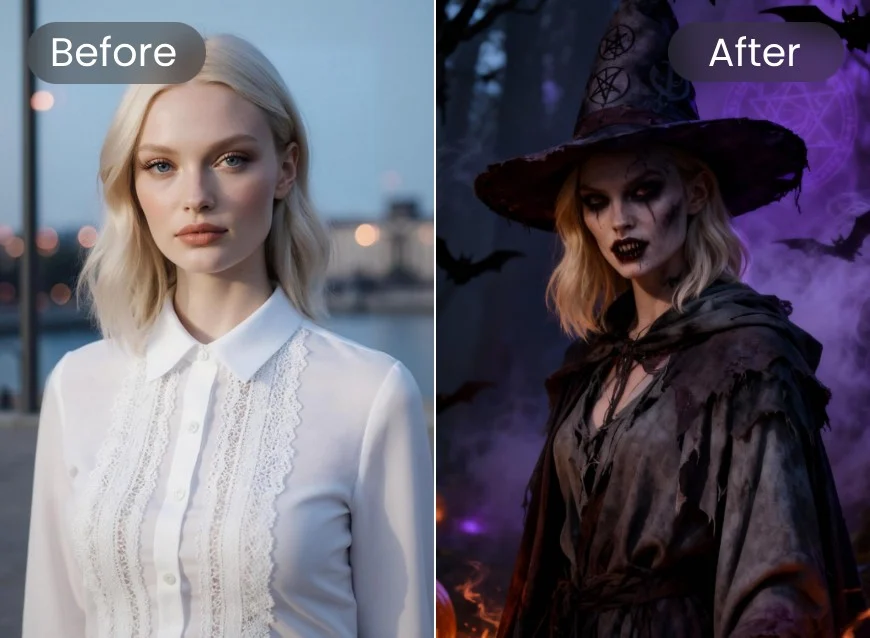
Evil Witch style example.
3. Review the photo and permissions
Check that you selected the intended photo and style. Tick the permission checkbox only if the photo is yours or you have permission from everyone in it.
The current studio is a design preview: the uploaded photo stays in your browser, the large preview shows a template example, and the Create button is disabled. It does not yet generate a new photo or offer a result to download.
Get a better starting image
- Use the original image rather than a compressed screenshot.
- Keep the whole face inside the frame, including the chin and forehead.
- Choose natural lighting rather than strong shadows across the face.
- Leave some space around the head for hats, hair and costume details.
- Start with one person when comparing portrait-focused styles.
Troubleshooting
My file will not upload. Check the file type and size. SVG, empty files and files larger than 10 MB are rejected. Export the photo as JPG, PNG or WebP, then try again.
I picked the wrong style. Open the template gallery and choose another card. The selected look and large example will update together.
I want to keep my original makeup. There is no separate makeup setting in the current studio. Compare the template examples before choosing a look.
Questions?
Email support@aihalloweenphoto.app with the page and a brief description of the issue. Do not send passwords or payment details.